Bass Booster & Equalizer1.2.1
Publisher Description
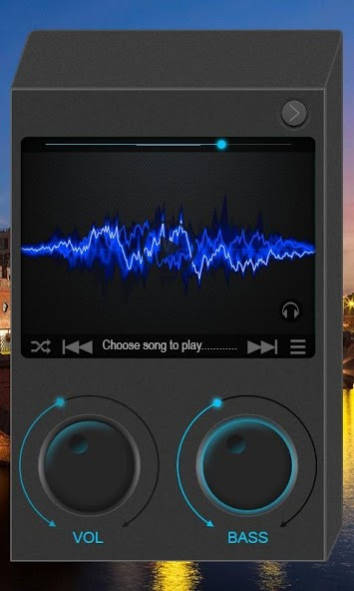
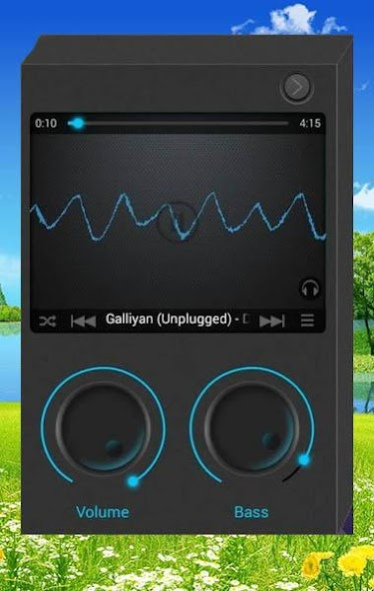
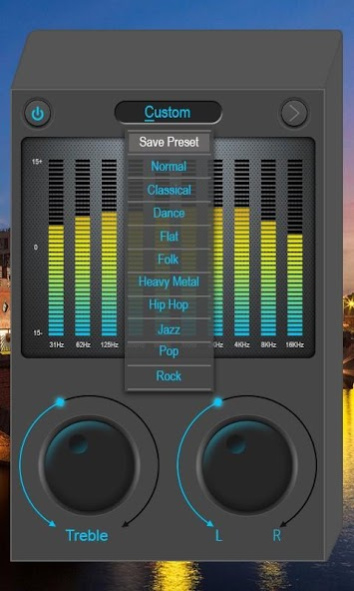

Bass Booster & Equalizer :
10 Band Music Equalizer and Bass Booster
This is fully customized music equalizer which has inbuilt Music Player with Bass Booster.
You can adjust, modify sound and save presets according to your Own Interest by Bass Boost.
Features Are ::
>> Inbuilt Music Player with background playing enable.
>> Adjust
10 - Band Equalizer
According to you.
>> You can adjust
★★
Bass Booster
★★
Treble Booster
★★
Volume Booster
★★
Mono L/R
>> Work for all music player of your phone.
>> You can make your Custom preset and Save it.
>> Long press, to delete saved custom presets.
>> Adjust Volume Label (31hz to 16Khz by +10db)
>> Play, Pause, Next, Prev., Soufflé and Song List button available.
>> Visualizer View window. Who gives great view to your phone.
>> Use default
12 equalizer preset
.
>> Presets Details ::
★★ Normal
★★ Classic
★★ Dance
★★ Flat
★★ Folk
★★ Heavy Metal
★★ Hip Hop
★★ Jazz
★★ Pop
★★ Rock
★★ Saved Custom Presets
Note ::
1. For the best result Music Equalizer use Head Phone.
2. Due to some android changes Equalizer does't work on following devices :
Galaxy Core,Galaxy S5,ONE TOUCH
Buy ad-free full version from link :
https://play.google.com/store/apps/details?id=com.musicequal.bassboost
☆☆☆☆☆
About Bass Booster & Equalizer
The company that develops Bass Booster & Equalizer is mAppsTech. The latest version released by its developer is 1.2.1.
To install Bass Booster & Equalizer on your Android device, just click the green Continue To App button above to start the installation process. The app is listed on our website since 2019-08-11 and was downloaded 22 times. We have already checked if the download link is safe, however for your own protection we recommend that you scan the downloaded app with your antivirus. Your antivirus may detect the Bass Booster & Equalizer as malware as malware if the download link to music.equalizer.bassbooster is broken.
How to install Bass Booster & Equalizer on your Android device:
- Click on the Continue To App button on our website. This will redirect you to Google Play.
- Once the Bass Booster & Equalizer is shown in the Google Play listing of your Android device, you can start its download and installation. Tap on the Install button located below the search bar and to the right of the app icon.
- A pop-up window with the permissions required by Bass Booster & Equalizer will be shown. Click on Accept to continue the process.
- Bass Booster & Equalizer will be downloaded onto your device, displaying a progress. Once the download completes, the installation will start and you'll get a notification after the installation is finished.
Program Details
System requirements
Download information
Pricing
Version History
version 1.2.1
posted on 2019-08-11
** New Android version supported app.
** Bug Free App
** Improve Bass Effect
** Added Virtualizer
